Case Study
Correct Pack - Professional Coding and Marking Machine Manufacturer
Language
Correct Pack - Professional Coding and Marking Machine Manufacturer
Dry ink, clogged nozzles, random error messages, if you have worked around packaging lines, you’ve probably seen it all. And let’s face it, in a busy production setup, even a few minutes of downtime can hit hard. When a CIJ (Continuous Inkjet) unplanned stoppage, everything else gets delayed, and every second costs money. These printers are not cheap either. Businesses spend thousands on them to handle millions of prints every day, marking barcodes, dates, and batch numbers across fast-moving products. But even the most advanced printer can start causing trouble if it’s not properly looked after. Keeping your CIJ printer in top shape isn't just about fixing issues when they pop up; it's about stopping them before they start. With the right care, your production stays smooth, your team stays stress-free, and your customers stay satisfied.
So, what does smart, everyday maintenance look like for a Continuous Inkjet printer in a busy factory?
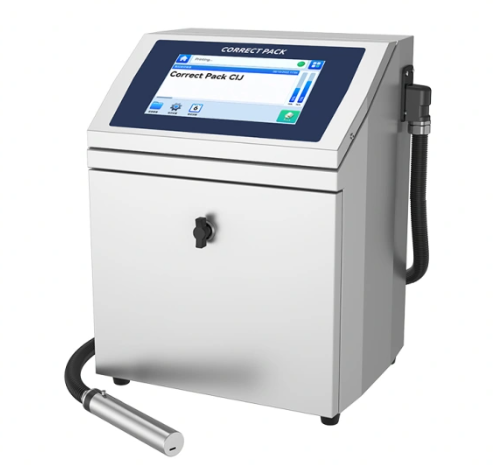
CIJ Printer Downtime
When your continuous inkjet printer stops working, the costs add up quickly. Here’s what the downtime leads to:
● Lost production time
● Delayed shipments
● Overtime labor costs
● Emergency repair fees
● Customer complaints
CIJ printers require significant investments. Therefore, you can’t bear downtime and reduced efficiency. Thus, you’ll have to create strategies to protect the investment to progress.
Common CIJ Printer Problems
Most CIJ printer failures happen due to the following reasons:
● Clogged nozzles
● Filter blockages
● Electrical issues
● Software glitches
● Environmental damage
To prevent all these problems, it's necessary to perform regular cleaning and inspection of the CIJ printer. It protects from further damage.
Daily CIJ Printer Maintenance Tasks
Start each day with these simple checks. They take just minutes but prevent hours of downtime. Here’s what you need to care about:
Visual Inspection Checklist
Inspecting the printer daily prevents serious issues. Therefore, look for these warning signs every morning:
● Ink levels: Check the main tank and backup supplies to determine the ink level. If it's low, refill; otherwise, it damages the printhead or clogs the nozzles during the workflow.
● Print quality: Run a print test on sample packaging. Look for gaps, lines, or faded ink. Adjust the print settings if needed.
● Nozzle condition: Check clogs or damage. If you find it, use a soft cloth to clean dry ink or dust for a clear shot.
● Error messages: Check the display for any alerts. Ensure to solve the errors before starting the packaging process.
Quick Performance Tests
Quick performance tests are necessary to prevent interruptions in the packaging. So, run these tests before starting production:
● Print a test message on scrap material
● Check print clarity and alignment
● Verify date and time accuracy
● Test barcode scanning if applicable
● Confirm proper ink adhesion
Weekly CIJ Printer Cleaning Procedures
CIJ inkjet printer manufacturer recommends implementing a weekly cleaning routine to prevent ink buildup on nozzles and other components. This regular maintenance prevents most printing problems and helps obtain quality prints.
Nozzle Cleaning Steps
If you see smudging or uneven print, remove the printhead cover and clean the nozzle. Use the right solvent from the manufacturer, not just any cleaner. Follow this safe cleaning process:
1. Turn off the printer and wait for the cooldown
2. Remove the nozzle assembly carefully
3. Soak in the recommended cleaning solution for 10 minutes
4. Use a soft brush to remove stubborn deposits
5. Rinse with clean solvent and dry completely
6. Reinstall and test before production
Filter Replacement
Replace ink, make-up, and air filters as per the manufacturer’s maintenance schedule—typically every 1,000 to 2,000 operational hours, depending on usage and ink type. Filters are critical for preventing particulate contamination that can block the nozzle or damage the pump. Always use OEM-certified filters to maintain print quality and protect warranty coverage. Keep an inventory of spare filters to avoid unplanned downtime.
Internal Component Cleaning
Clean each internal component of the CIJ printer parts weekly to prevent uneven prints. Here’s what to clean:
● Ink circulation system: Remove dust or debris buildup from the ink system. It maintains the print quality.
● Electrical contacts: Clean the electrical component with approved solvent. Switch off the system before cleaning.
● Ventilation ports: Clear dust and debris from ventilation ports. If these aren’t cleaned, the printer gets hot quickly.
● Touch screen: Use electronics-safe cleaner to ensure the touch screen is visible, so you don’t press the wrong button. Otherwise, it affects the entire packaging line.
Monthly Deep Maintenance for CIJ Inkjet Printers
Monthly maintenance helps catch problems before they cause failures. So, schedule these tasks during planned downtime. For long life and fewer breakdowns, do these things every month:
Comprehensive System Check
You need to perform these detailed inspections, including pressure readings, temperature sensing, pump performance, electrical system, and software updates. All these system checks prevent the issue from occurring.
Ink System Maintenance
Your continuous inkjet printer's ink system needs special attention:
● Flush old ink from the circulation system
● Replace ink cartridges before they run empty
● Clean mixing chambers to prevent contamination
● Check solvent levels and top up as needed
● Inspect tubing for cracks or blockages
Change Filters
Ink filters, air filters, and return filters should be replaced regularly. Follow your model’s user guide for replacing timelines. However, it’s better to replace filters every year, based on usage patterns.
Update Software
Older software can also disrupt the packaging line, resulting in downtime. Therefore, check for any firmware or software updates. These updates fix bugs and may improve printing speed or accuracy.
Impact Of Environmental Factors On CIJ Printer Performance
Industrial environments affect the performance of continuous inkjet coding machines. Managing these factors prevents many maintenance issues. That’s why it's important to focus on these factors:
Temperature Control
CIJ printers work best in controlled temperatures from 60-80°F (15-27°C). There shouldn’t be sudden temperature changes or direct sunlight in the area. You can also use climate control systems in extreme environments.
Humidity Management
Humidity affects the electronics and clumps the ink. That’s why ensure to control moisture levels around your printer. The humidity level shouldn’t exceed 40-60%; for this, use dehumidifiers to prevent condensation in wet environments.
Dust and Contamination Prevention
Keep your CIJ inkjet printer clean by installing air filtration systems near printers or using protective enclosures in dusty areas. Apart from this, regular cleaning also prevents dust buildup.
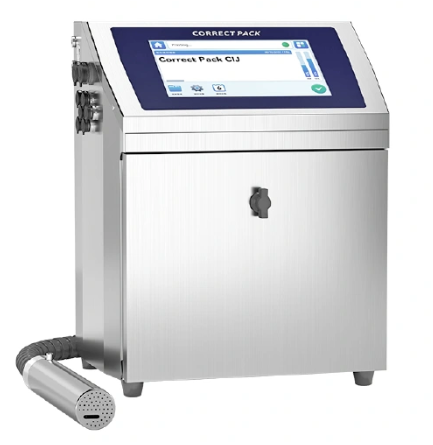
Benefits of Proper CIJ Printer Maintenance
Modern packaging lines run faster at unprecedented speeds. Downtime drops when you follow proper maintenance protocols. It also improves your operations. Here’s what you get when you care for your printer:
● Less downtime, and your line keeps running smoothly
● Print quality codes are clear and readable
● Saves money on repairs and replacement
● Lower ink waste from the system
● Packages look professional and are delivered on time
How to Build a Maintenance Plan
You don’t need to do it all yourself. Here’s how to make a smart plan for the regular maintenance of the CIJ printer:
Train Operators
The first step is to teach your team how to clean and inspect the printer. Whether cleaning the printhead or checking errors, use checklists or guides for your team to follow. It fixes small issues before they turn into bigger ones.
Keep Spare Parts
You’ll never want to stop the production just because of clogged filters or empty ink bottles. Therefore, store extra filters, ink bottles, and cables. Don’t wait for a failure to order parts.
Track Printer Logs
Another important step is to track printer logs. Write down dates of filter changes, errors, and cleanings. This helps spot patterns. Next time, when you detect an issue occurring every week, you’ll know when to take action.
Why Choose the Correct Pack For CIJ Printer
When you need reliable, continuous inkjet printer solutions, Correct Pack delivers. With decades of experience in coding, marking, and printing technology, we understand what keeps packaging lines running smoothly.
Our CIJ printer expertise includes:
● Small Character Inkjet Printers for high-speed production
● Complete maintenance support and training programs
● Technical consultation for optimal printer performance
● Comprehensive service and parts support
Here’s why choose Correct Pack for your CIJ inkjet printer needs:
● Professional sales and service team with deep technical knowledge
● Competitive pricing on equipment and maintenance supplies
● Proven track record across food, medicine, and packaging industries
● Complete solutions from installation to ongoing support
Our CIJ printer works reliably in industrial environments. We provide the training, parts, and support to help you reduce downtime and maximize productivity. Contact Correct Pack today to learn how our CIJ printer solutions can improve your packaging line performance. We're committed to providing valuable products and satisfying service that keeps your operation running smoothly.
Conclusion
A smart CIJ printer keeps your packaging line fast and smooth. But without care, even the best continuous inkjet printer can slow things down. That’s why regular maintenance is key.
In addition, the best maintenance program is one that fits your operation. Start with basic daily and weekly tasks. Add more advanced procedures as your team gains experience. An efficient CIJ printer simplifies the process, improves workflow, and ensures your packaging lines are effective.
Ready to improve your CIJ printer maintenance?
Your CIJ printer is a valuable asset. Start with these simple daily checks or find a CIJ inkjet printer manufacturer for fewer breakdowns and better performance. So, keep your packaging line strong and steady with Correct Pack’s high-quality CIJ printers.
Science and technology oriented, continuous improvement, Correct Pack always committed to providing customers with valuable products and satisfy services

China Coding & Marking Machine Manufacturer
Correct Pack Technology Company
Address: Floor 3, Building 1, No. 728, Jinhu Road, Sanzao Town, Jinwan District, Zhuhai City

